agent-skills-platform
Desktop app
A desktop app for teammates who want to browse the team’s skills, read what a skill does, and install it into GitHub Copilot (or another AI tool) — without a terminal, Python, or Git.
For teammates
Get it. Download the installer for your computer from the latest desktop release and open it.
- macOS: the
.dmgfor Apple Silicon or Intel. If macOS says the app is from an unidentified developer, right-click the app → Open (once). - Windows: the
.msior-setup.exe. - Linux: the
.AppImageor.deb.
Connect the library. The app opens on Settings. Paste the library link your admin sent you and click Connect. If the repository is private, open “Private repository? Add an access token” and paste a personal access token with read access — it goes into your system keychain, not the app.
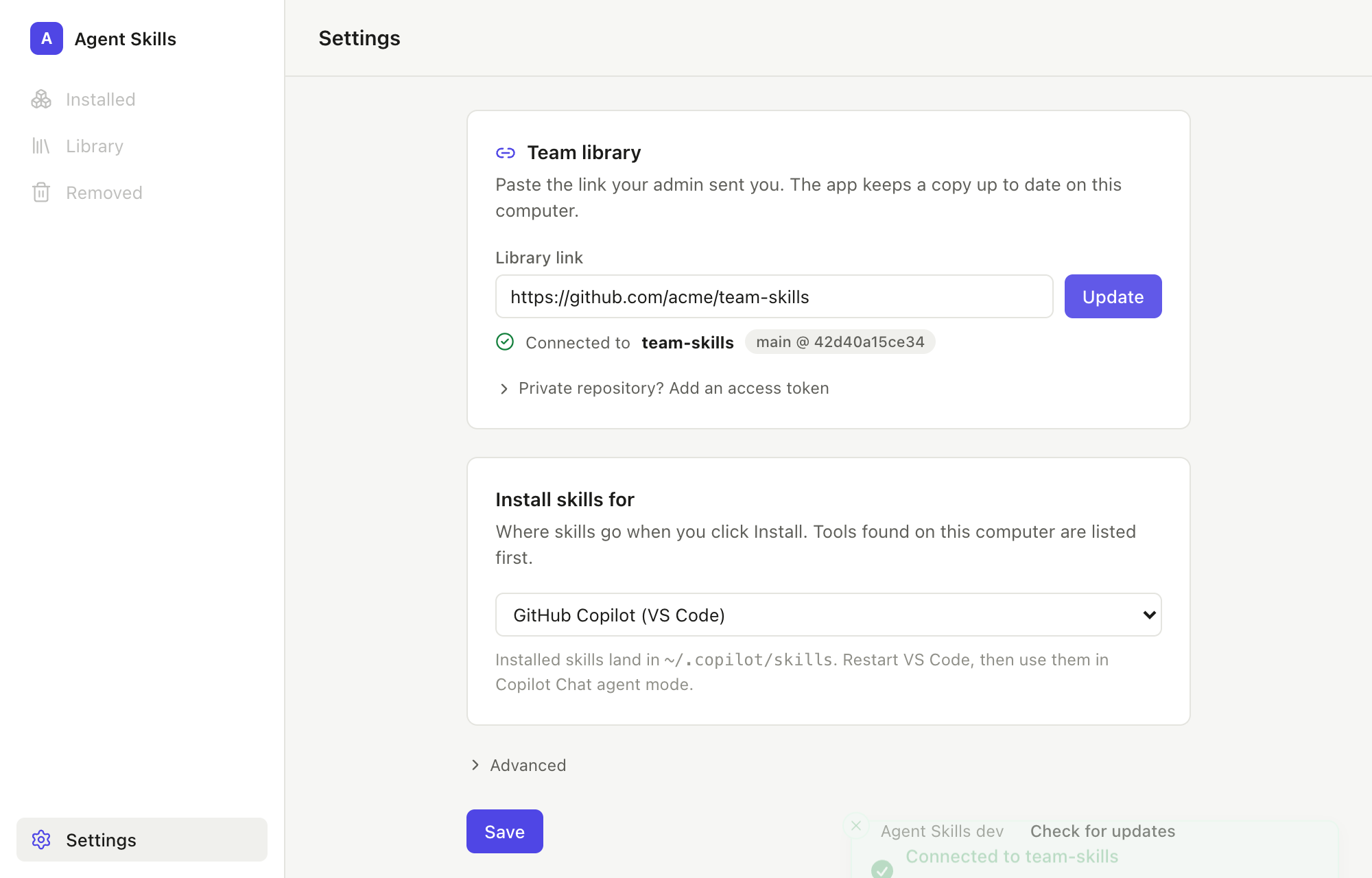
Pick where skills go. “Install skills for” defaults to GitHub Copilot (VS Code); tools found on your computer are listed first. Click Save.
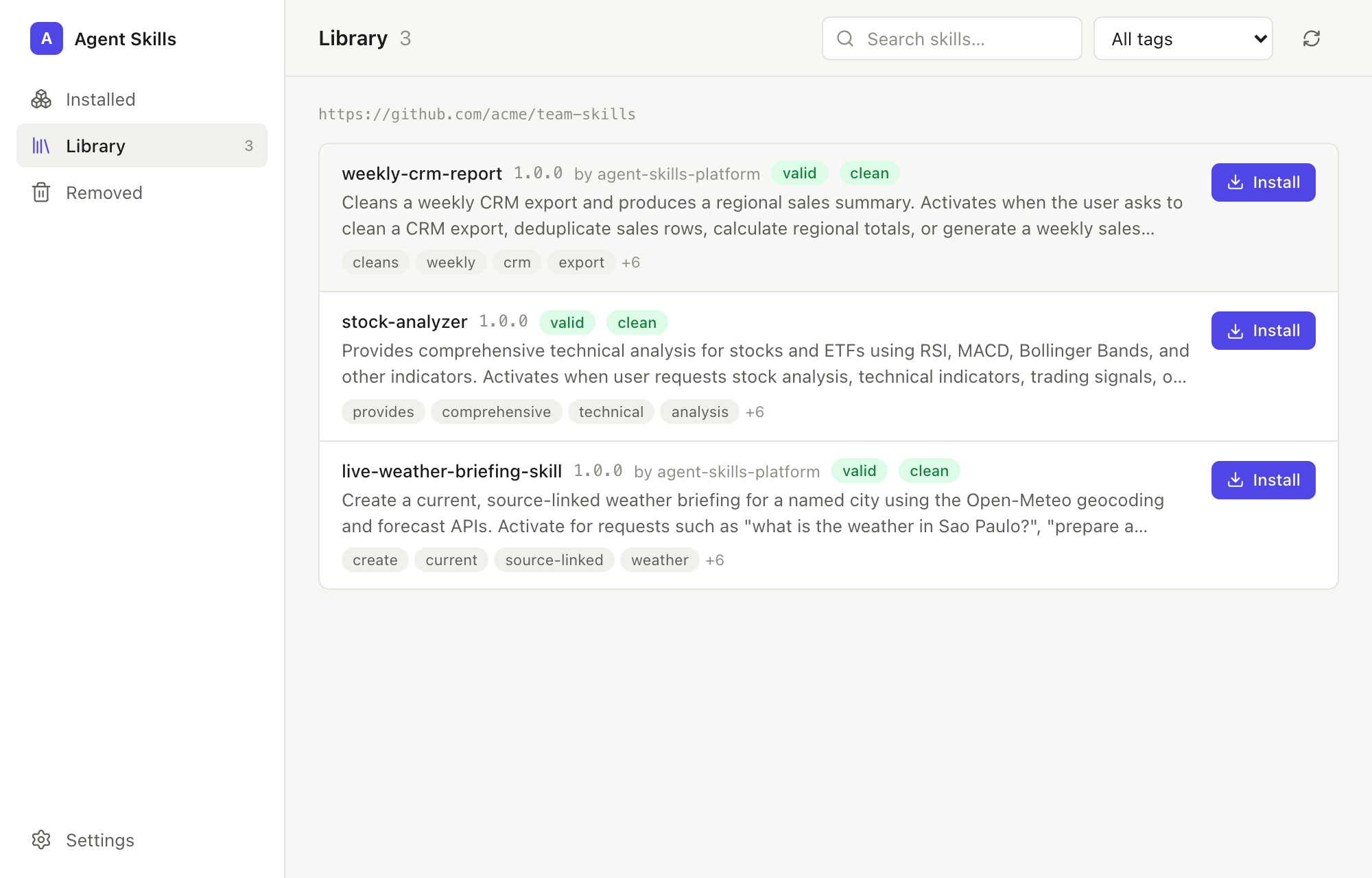
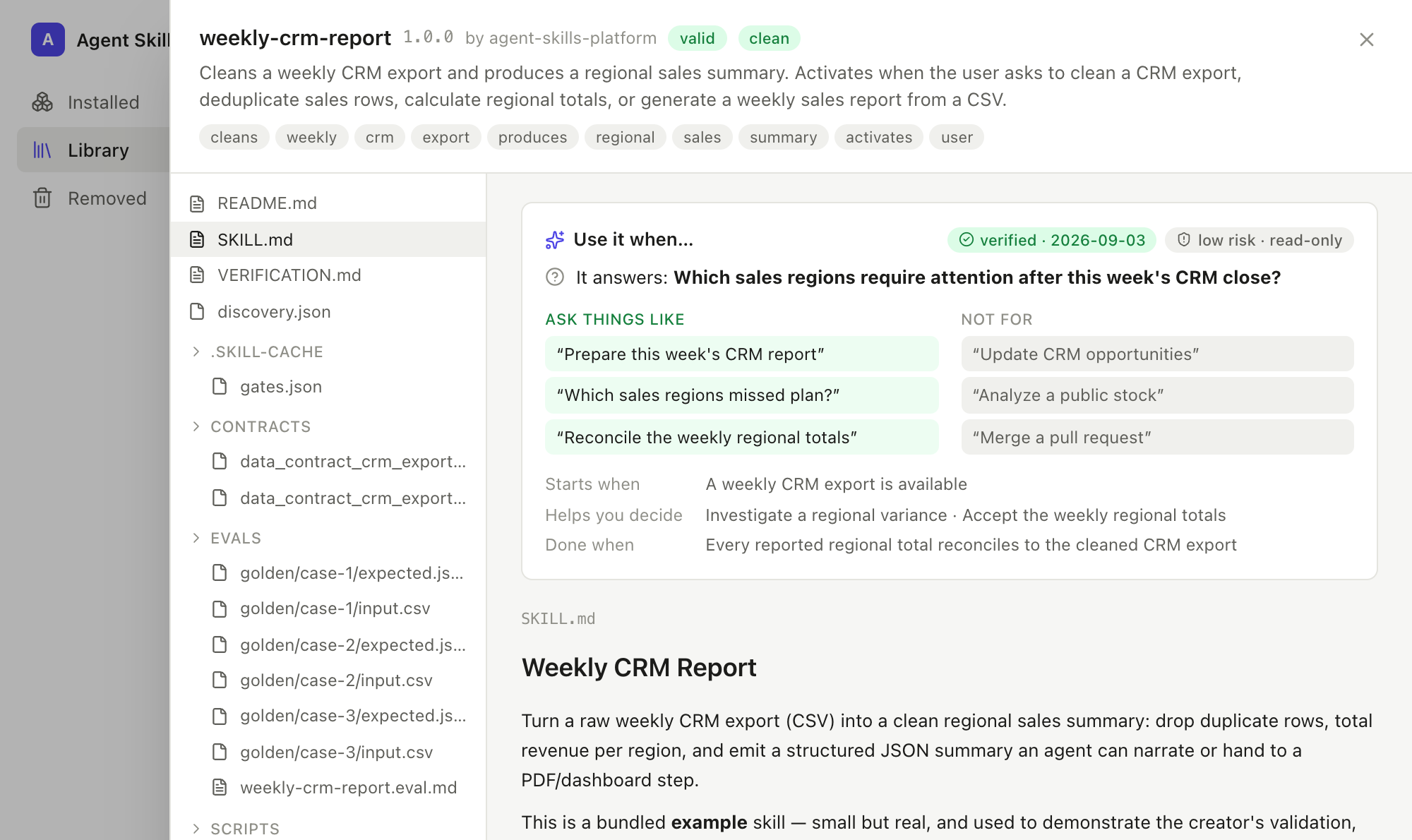
Install. Open Library and click a skill. The detail view opens with
Use it when… — the question the skill answers, example requests that
trigger it, requests it is not for, its risk tier, and whether its
verification evidence is current — followed by its SKILL.md and files. Click
Install, restart VS Code, and the skill is available in Copilot Chat agent
mode.
Keep it tidy. Installed lists what you have; the switch on each row turns a skill off without removing it, and Update appears when the library has a newer version. Removed keeps anything you uninstall for 30 days.
The app refreshes the library and checks for its own updates each time it opens. Nothing leaves your computer except the library download.
For library admins
A team library is a Git repository containing a skill registry. Creating one takes four commands and a push; teammates never see any of this.
# 1. Create the registry
python3 scripts/skill_registry.py init --registry ~/team-skills --name "ACME Skills"

# 2. Publish each verified skill into it
python3 scripts/skill_registry.py publish ./weekly-crm-report --registry ~/team-skills --tags finance,reports

# 3. Put it on GitHub or GitLab (private is fine)
cd ~/team-skills && git init -b main && git add -A && git commit -m "Team library"
gh repo create acme/team-skills --private --source . --push

# 4. Share the link
echo "https://github.com/acme/team-skills"
publish runs validation and a security scan; skills that fail do not enter
the library. To ship an update, publish the new version and push — every
teammate’s app picks it up on next launch and shows Update on the Installed
tab.
Private repositories: teammates need a personal access token with read access to the repository (GitHub: a fine-grained token scoped to that repo with Contents: read). SSH URLs work too when an SSH agent is running.
For departments, approvals, pinned releases, and rollback, use the governed team marketplace; the desktop app reads the flat registry today and marketplace support is planned.
For contributors
The app is a thin Tauri front end over scripts/skill_registry.py, which it
ships as a bundled binary; no registry logic lives in the app. Build, run, and
release instructions are in desktop/README.md.